JoFotara
Linked to Jordan's national invoicing system.
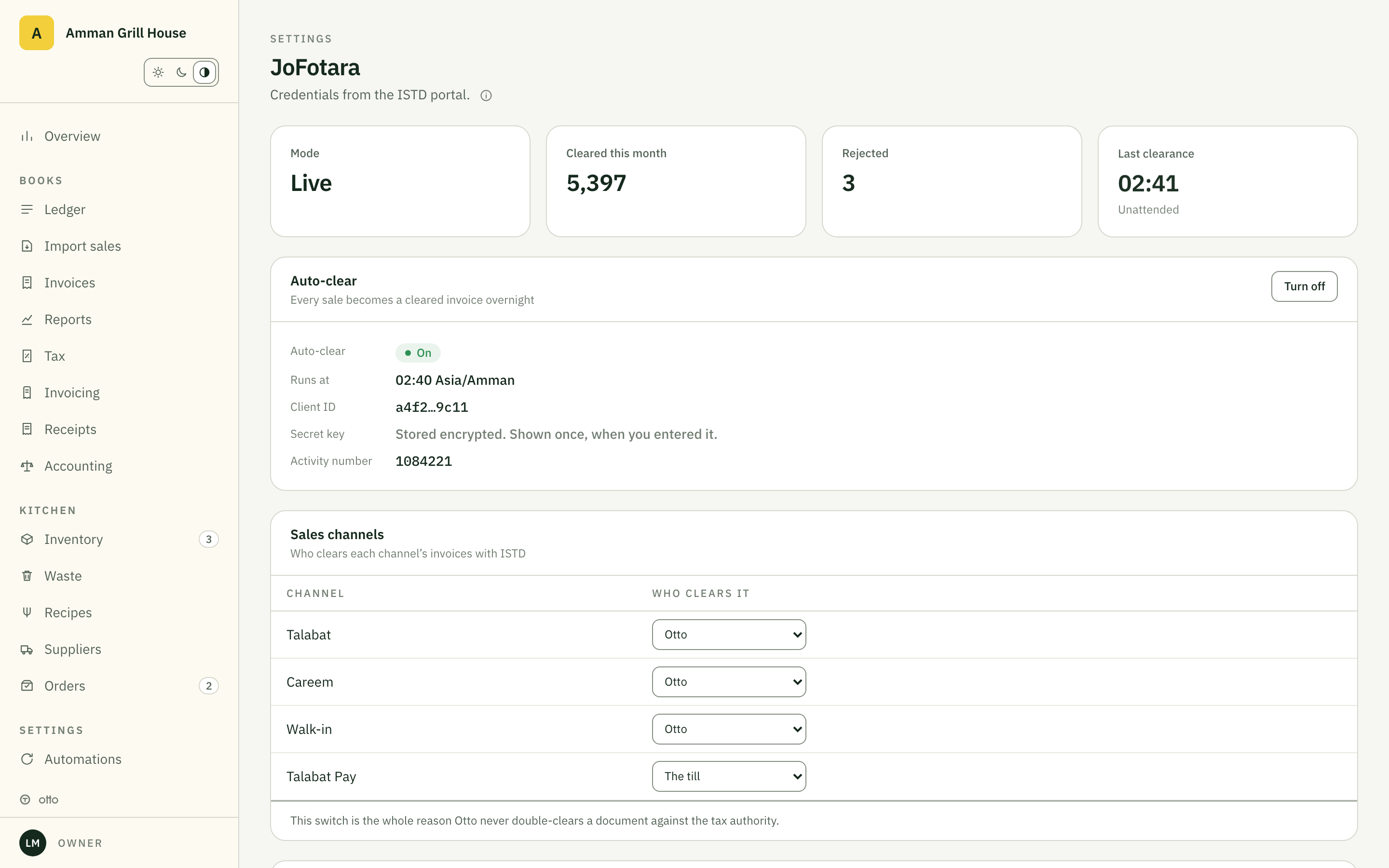
Every sale becomes a UBL 2.1 invoice, is cleared with the ISTD, keeps its UUID and QR, and posts to the books. Nightly, for every channel you switch on.
- Sale at the till21:44, 11.60 JOD
- Otto: UBL 2.102:00 nightly run
- ISTD / JoFotaracleared, UUID + QR
journal entry posted with the QR on the record
What the system is
JoFotara is the ISTD's national e-invoicing system. A taxpayer links a device to an income source, and from then on every invoice for that source must be cleared through the system and carry its QR. Once linked, the portal's manual entry is switched off for that source. A restaurant issuing hundreds of receipts a day cannot do this by hand.
How the link works
Register on the ISTD portal
Your own taxpayer account. Otto registers nothing in its name.
Generate the three credentials
Client ID, Secret Key and the activity number, from the e-invoicing section, following the ISTD linking manual.
Paste them into Otto
Settings, E-invoicing. The secret is encrypted with AES-256-GCM and never shown again.
Clear the first invoice
Scan its QR in Sanad, under Verify digital documents. That scan is the acceptance test. From then on every sale clears itself.
Nightly clearance
The run at 02:00 local clears every sale from the day, per channel you switched on.
Credit notes
A corrected sale issues a credit note against the original UUID.
Line-level GST
16% calculated per line, not per invoice, and carried to the return.
Buyer details
Name and TIN on the invoice when the customer wants a tax invoice.
Retries and a queue
A failed clearance is retried and shown in the app until it clears. Nothing is silently dropped.
The archive
Every cleared invoice with its XML, UUID and QR, exportable.
The rule
The ISTD requires invoices on linked income sources to be cleared through the system. An uncleared invoice is not a tax invoice. The department publishes the penalties; Otto's job is to make sure you never meet them.
Documents
- Sales invoice (cash)
- Sales invoice (receivable)
- Credit note
- Special sales invoice
Does Otto register with the ISTD for us?
No. The credentials belong to the taxpayer. You generate them in your own portal account and paste them into Otto once.
What happens if the pipeline stalls for a night?
Nothing is lost. Uncleared invoices are retried and listed in the app until they clear. Once a device is linked, the portal will not take manual entry for that income source, so Otto carries every invoice.
Credit notes?
A corrected sale issues a credit note referencing the original UUID, cleared the same way.
Is this live with a real taxpayer?
It is proven end to end in the ISTD sandbox, including the QR scan in Sanad. The first production link happens with the first Jordan client.